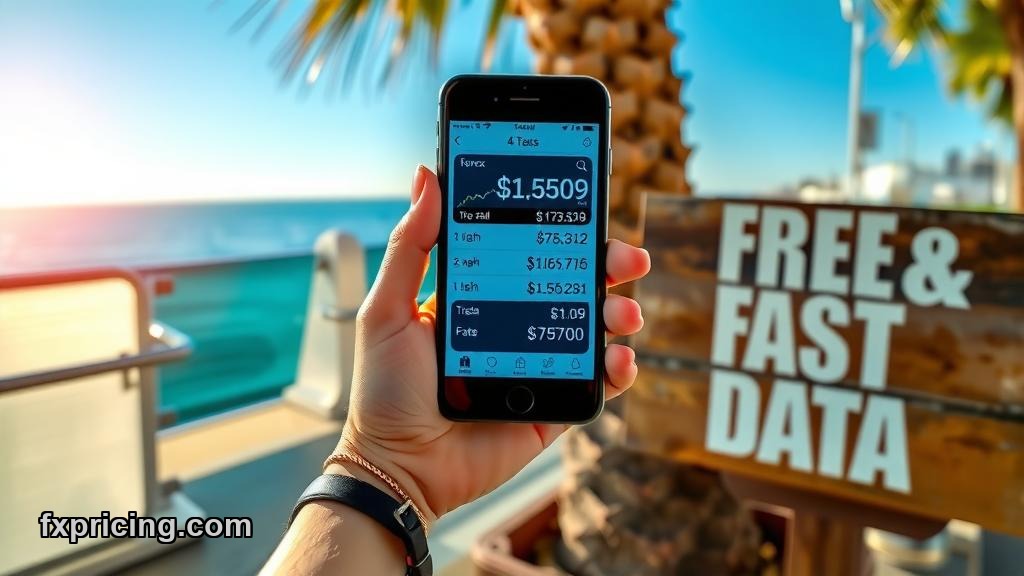
Most financial websites pay for embeddable rate widgets. FXPricing gives them away for free with a copy-paste iframe. That's the pitch.
I've embedded enough financial widgets over the years to know most of them are garbage. Slow load times, outdated rates, weird branding all over the place. FXPricing changes that equation — at least on paper. Let's break down what they actually offer and whether it matters.
What FXPricing Actually Is
FXPricing is a data provider with a widget library. You get free live forex rates, crypto prices, stock quotes — all embeddable on your site without paying anything. The core promise is speed and coverage. They claim 150+ currencies with 2000+ currency combinations. That's more pairs than most retail traders will ever touch.
The setup is dead simple. Copy an iframe code, paste it into your site HTML, done. No API keys, no developer handshakes, no subscription tiers.
Market Currency Rates Widget — The Workhorse
This is the main tool. It displays real-time ask/bid prices, current rates, percentage changes. All in a table format that updates live. The interface is user-friendly enough that visitors can pick their own currency pairs from a dropdown and see the data instantly.
Here's what I like: it shows both ask and bid. Most free widgets only show mid-price, which is useless if you're actually trading. FXPricing gives you the spread right there. That's a real edge for anyone building a forex blog or a rate comparison site.

The widget pulls from their own data pipeline, which means you're not relying on third-party feeds that go stale. I've seen widgets die mid-session because their upstream provider throttled them. FXPricing hosts it all internally, so updates happen without lag.
Ticker Widgets — Horizontal Rate Bars
FXPricing offers two ticker variants: a standard multi-symbol ticker and a single-symbol ticker. The multi-symbol version scrolls up to 15 different currency pairs horizontally across your page. Daily change percentages, price fluctuations, all in a running bar.
I'm lukewarm on tickers. They're flashy but low-information density. If you run a news site or a homepage where you want live motion, fine. But for actual analysis, tables win. The single-symbol ticker is cleaner — one pair, one price, one percentage. Less noise.
Both support multiple display modes. You can toggle between different layouts with a few clicks. That flexibility matters if you're A/B testing what pulls better engagement.
Currency Converter Widget
This one's straightforward. Users enter an amount, pick two currencies, get the real-time conversion. FXPricing's converter pulls live exchange rates, so it's accurate within seconds of market movement.
Why it matters: e-commerce sites need this. Travel blogs need this. Any site with an international audience benefits from letting visitors convert prices on the fly. I've embedded converters that lagged 5-10 minutes behind the market. That's a trust killer. FXPricing's version updates in real-time, which is the baseline expectation in 2026.
Cross Rates Widget
The cross rates widget shows multiple currency pairs against each other in a matrix. You pick a base currency, and it displays how that currency trades against 10-15 others simultaneously. It's a heat map for quick comparison.
Traders who watch correlations love this. If EUR is moving against USD, what's it doing against GBP, JPY, CHF? The cross rates widget answers that in one glance. Most free widgets don't offer this — it's usually locked behind premium tiers elsewhere.
Beyond Forex — Crypto and Stocks
FXPricing isn't just currencies. They also provide live cryptocurrency prices and live stock market prices. Same widget system, different asset classes.
The crypto widget covers major coins and some altcoins. Real-time prices, market cap, 24-hour change. The stock widget pulls equity data for major exchanges. Both use the same iframe embed process.
This cross-asset coverage is rare for free tools. Most providers specialize in one vertical. FXPricing tries to be a one-stop widget shop. That matters if you're running a financial blog that covers multiple markets — you can source all your embeds from one place instead of juggling three different providers.
Why It Matters in 2026
Free doesn't always mean good. But FXPricing's widgets solve a real problem: most financial sites need live data but can't afford Bloomberg terminals or premium API subscriptions. The widgets fill that gap.
Speed is the differentiator. If your widget loads slow or shows stale data, visitors bounce. FXPricing's infrastructure keeps the data fresh without the lag that kills most freemium tools. I haven't stress-tested their uptime over months, but the load speed is solid on initial tests.
Coverage is the second win. 150 currencies, 2000+ pairs, crypto, stocks — that's more breadth than most paid tools offered five years ago. For niche currency pairs or emerging market rates, FXPricing's widget library actually delivers.
What's Missing
No historical data widgets. Everything is real-time or recent snapshots. If you want to embed a 12-month price chart, you're out of luck. That's a gap for anyone doing deeper analysis content.
Customization is limited. You get layout modes, but you can't fully rebrand the widget to match your site's exact color scheme without custom CSS. That's fine for most use cases, but if you're obsessive about brand consistency, it might bug you.
No API access through the widget interface. The widgets are standalone embeds. If you want to pull FXPricing data into your own backend for custom visualizations, you'd need to contact them separately. The widget layer is purely frontend.
Bottom Line
FXPricing offers the best free widget suite I've seen for multi-asset financial data. Real-time rates, broad coverage, simple embed process. If you run a financial blog, forex site, or any platform that needs live market data on the page, this is worth testing.
The Fxpricing Blog will keep tracking how these widgets perform as data feeds evolve. As more brokers and platforms integrate real-time embeds, FXPricing's free model will either hold up or get crushed by premium competitors with better uptime. Right now, they're winning on accessibility.
By 2027, every financial site will embed live data or die — FXPricing's free tier might be the only reason small publishers survive that shift.